
Compliance that remediates
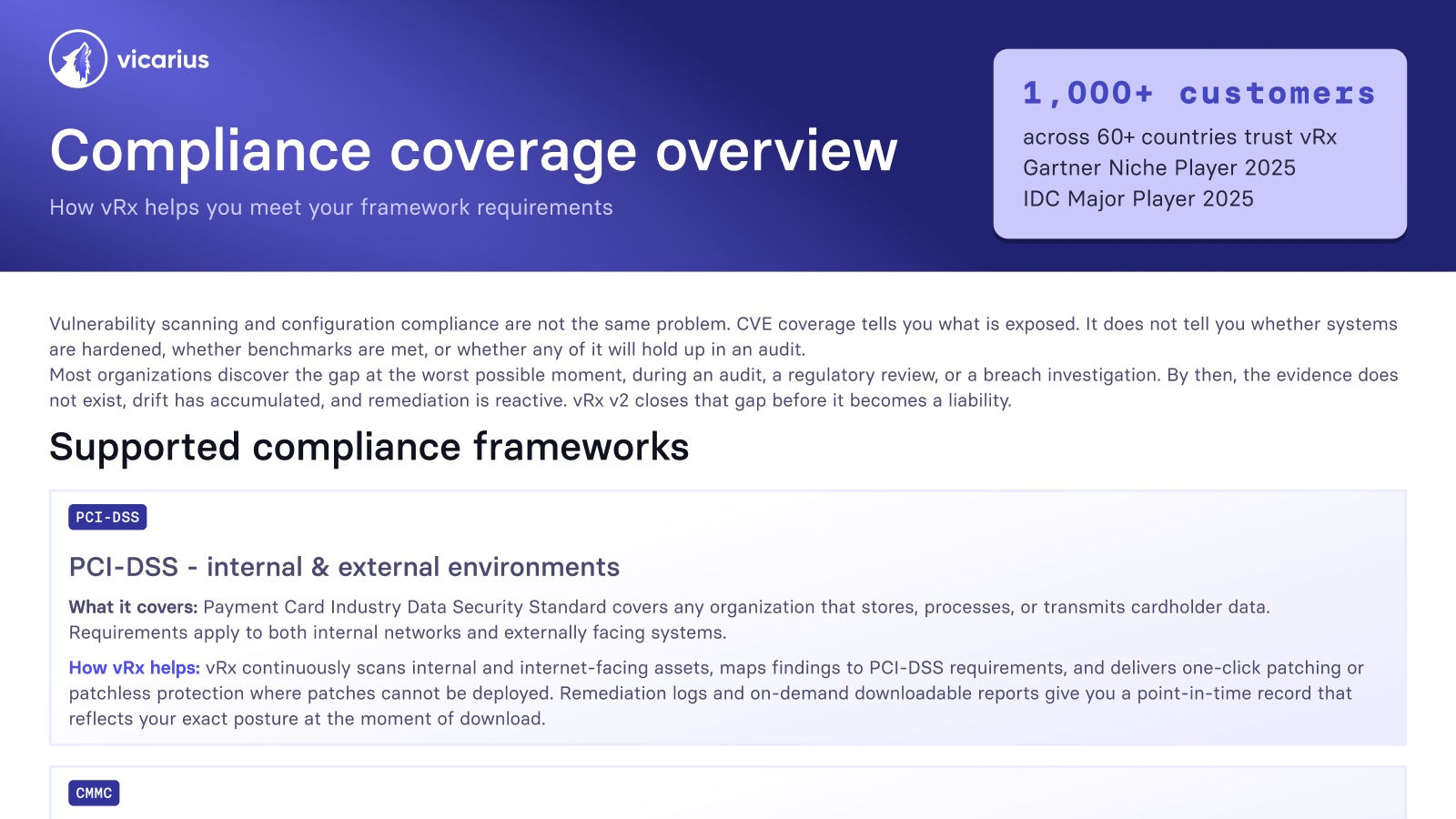
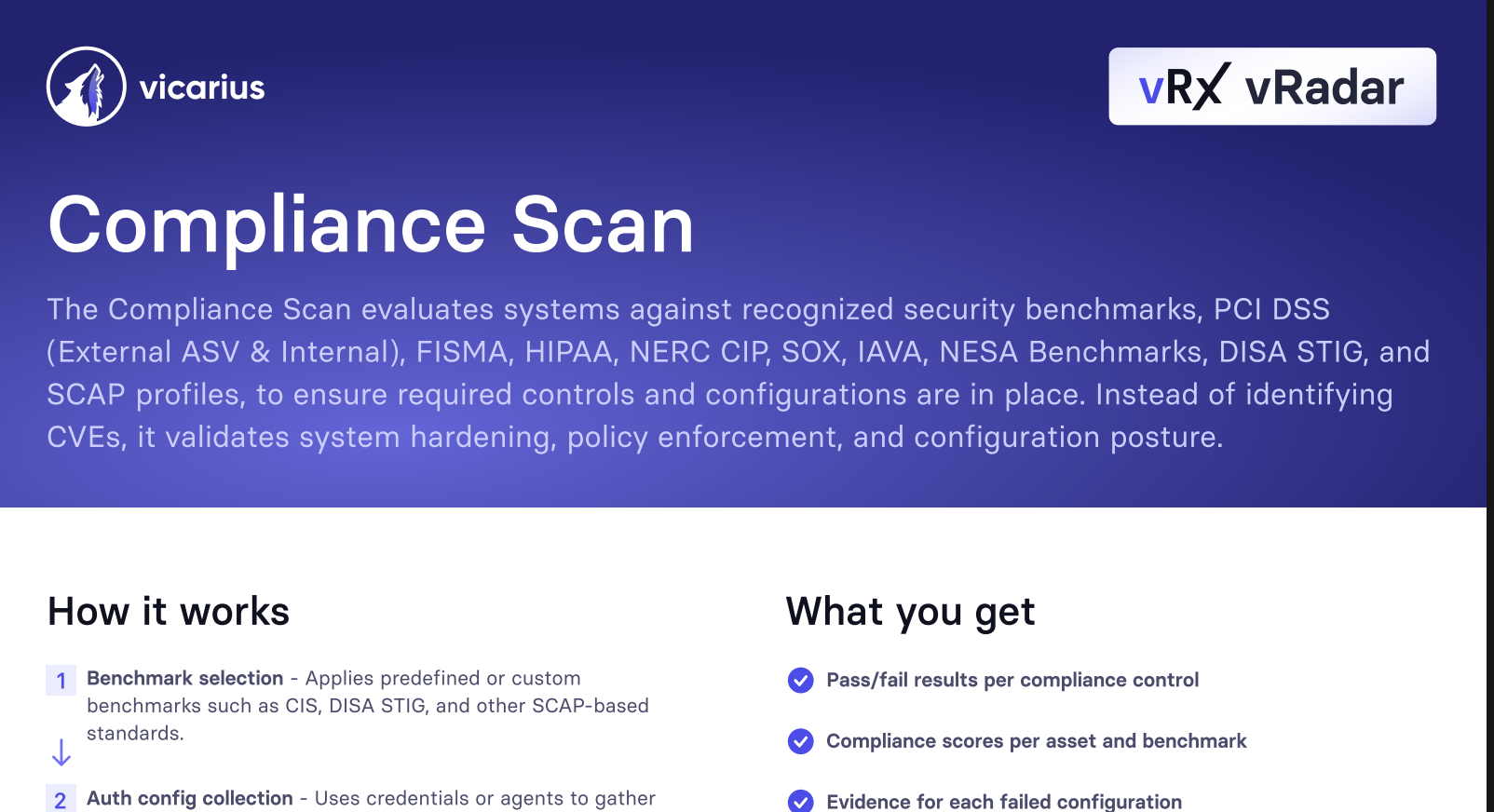
vRx maps your security posture directly to multiple compliance frameworks, and 100+ CIS Benchmarks. It detects misconfigurations across systems and applications, generates audit-ready reports, and tracks compliance status per asset, all from the platform your team already runs.

CIS benchmarks supported
reduction in manual patching
from months to hours


































































Audit ready before they ask
Compliance audits reveal what security teams missed. vRx closes that gap by continuously checking your environment against the frameworks that matter, fixing misconfigurations before they become findings, and delivering reports the moment an auditor asks.


No audit surprises

Instant audit reports

Many frameworks, one platform

Misconfigurations fixed, not flagged

No compliance drift

No extra tools


Compliance built into the remediation loop
vRx's compliance engine runs on the site agent scanner, scanning systems and applications for misconfigurations against 100+ CIS Benchmarks, HIPAA, PCI DSS, and Cyber Essentials. Every finding maps to a remediation path. Every remediation logs to your compliance record automatically.
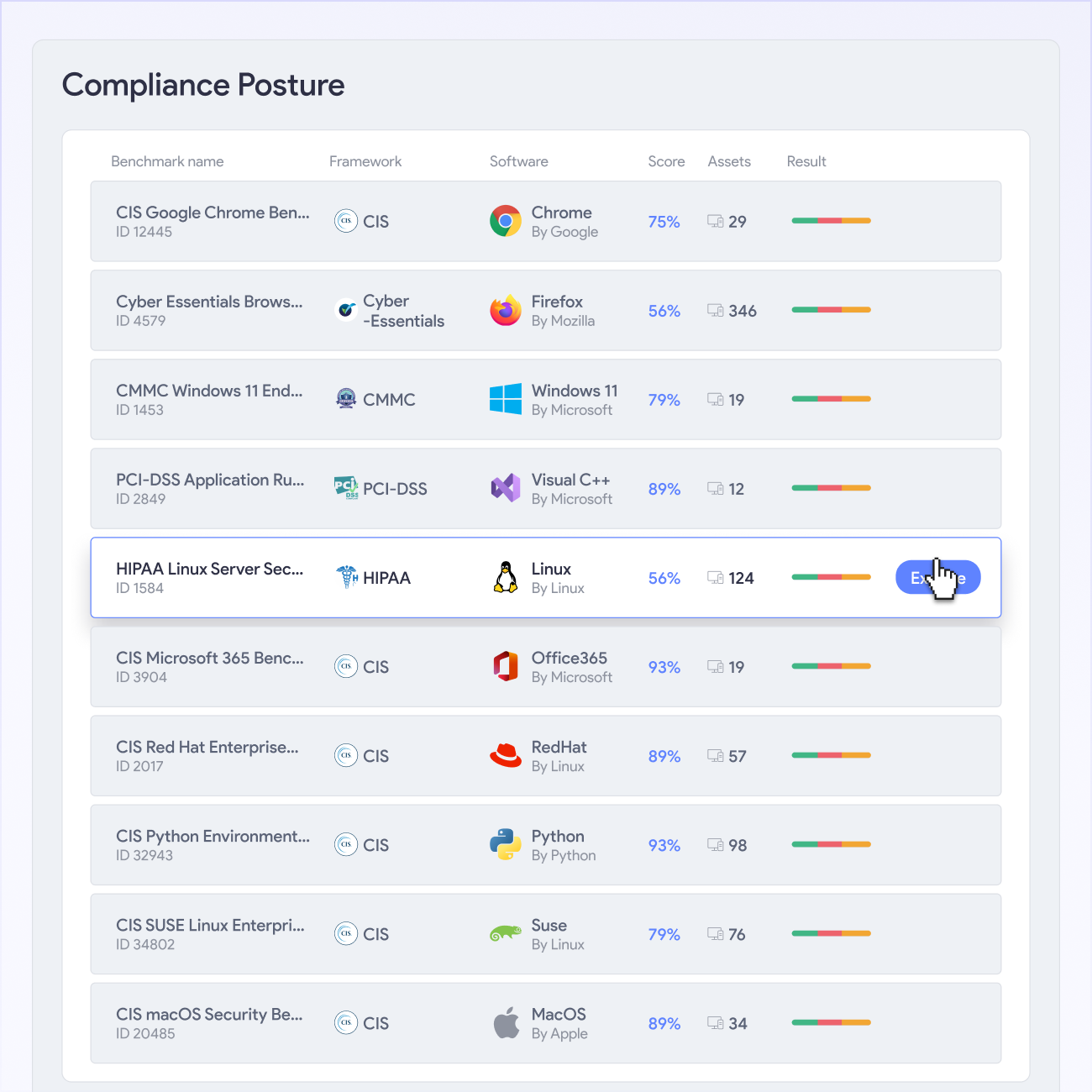
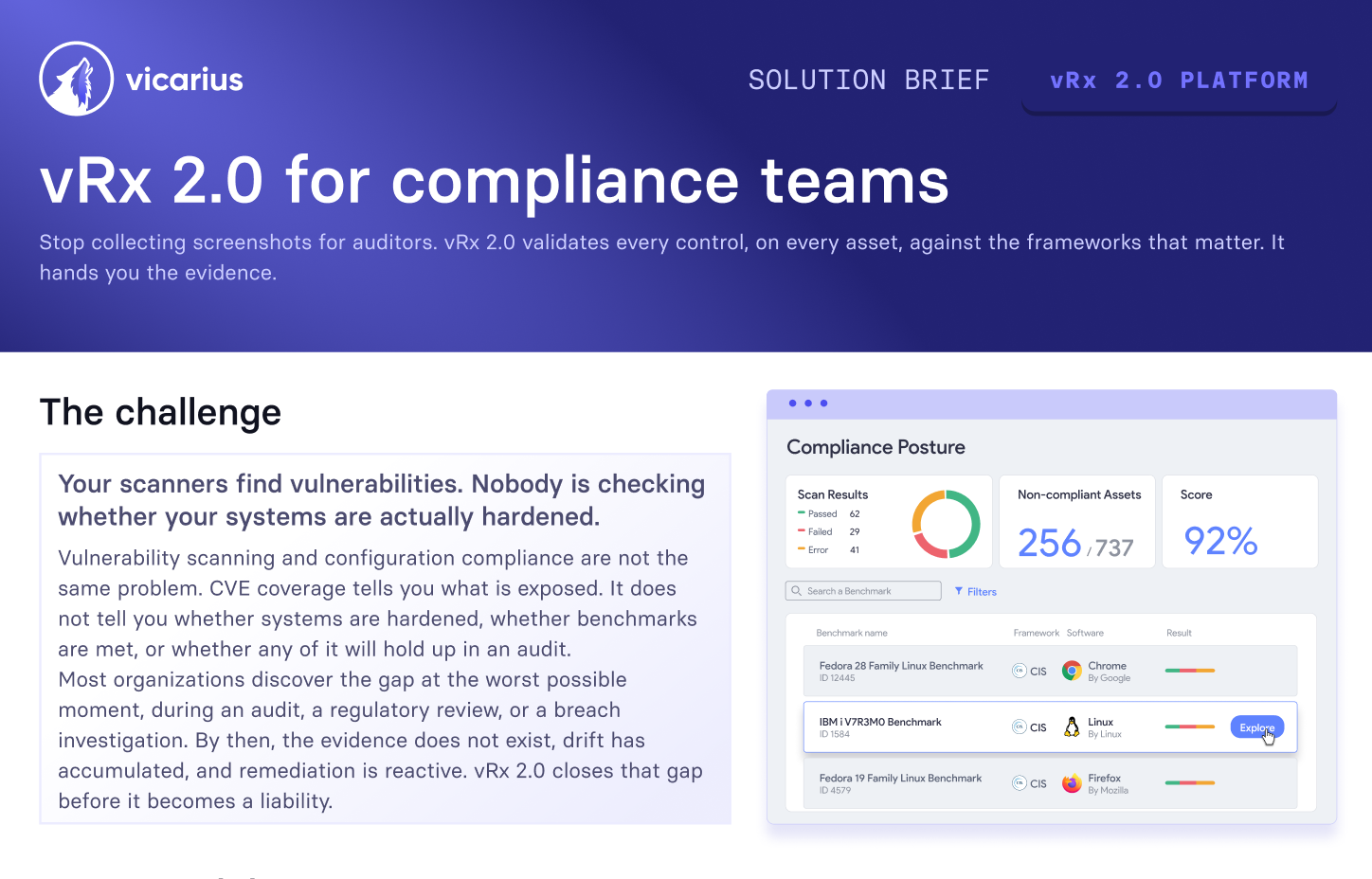
vRx maps each misconfiguration to the specific control it violates, giving your team an immediate compliance impact view per finding.
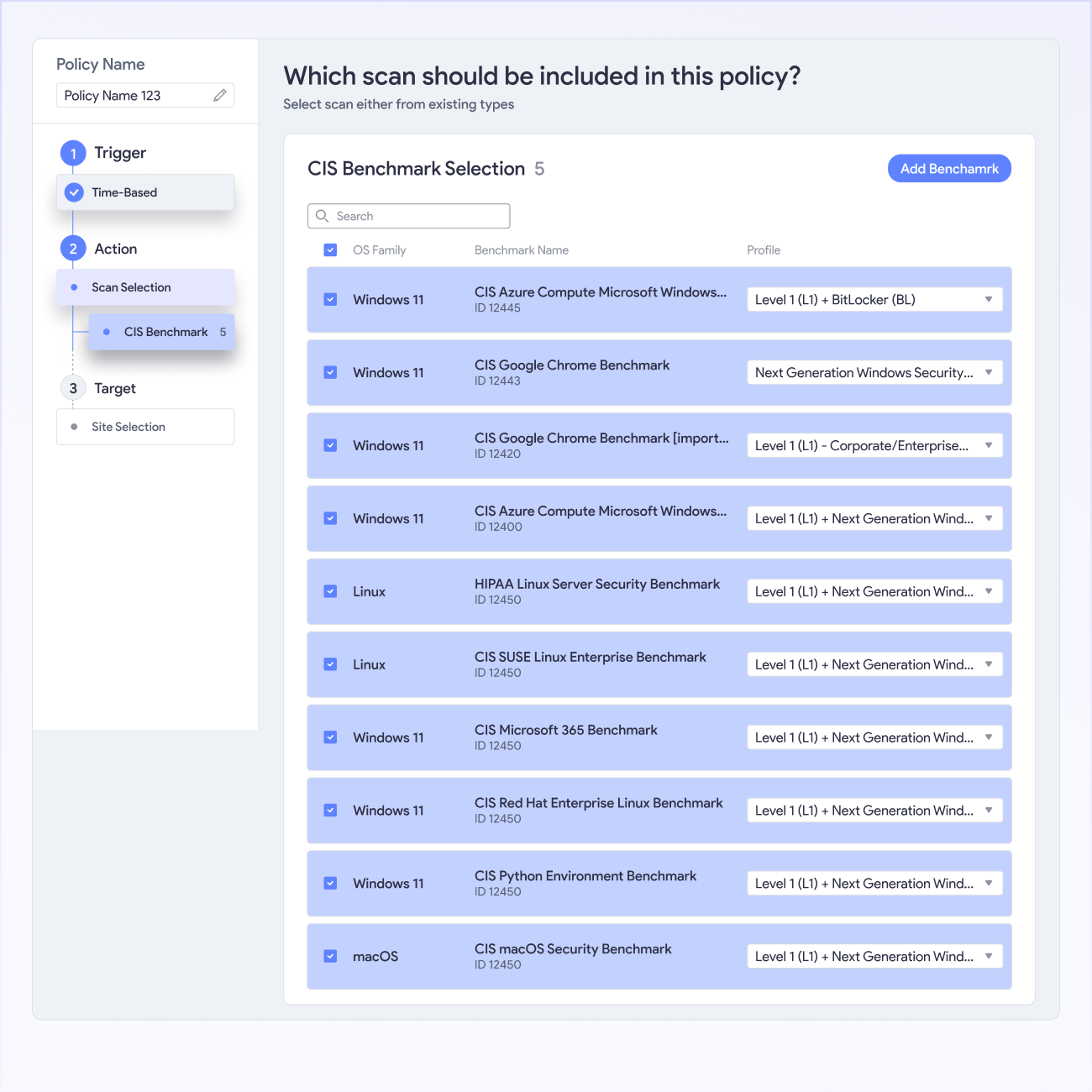
vRx scans systems and applications continuously against configured frameworks, so misconfigurations surface as they appear rather than at audit time.
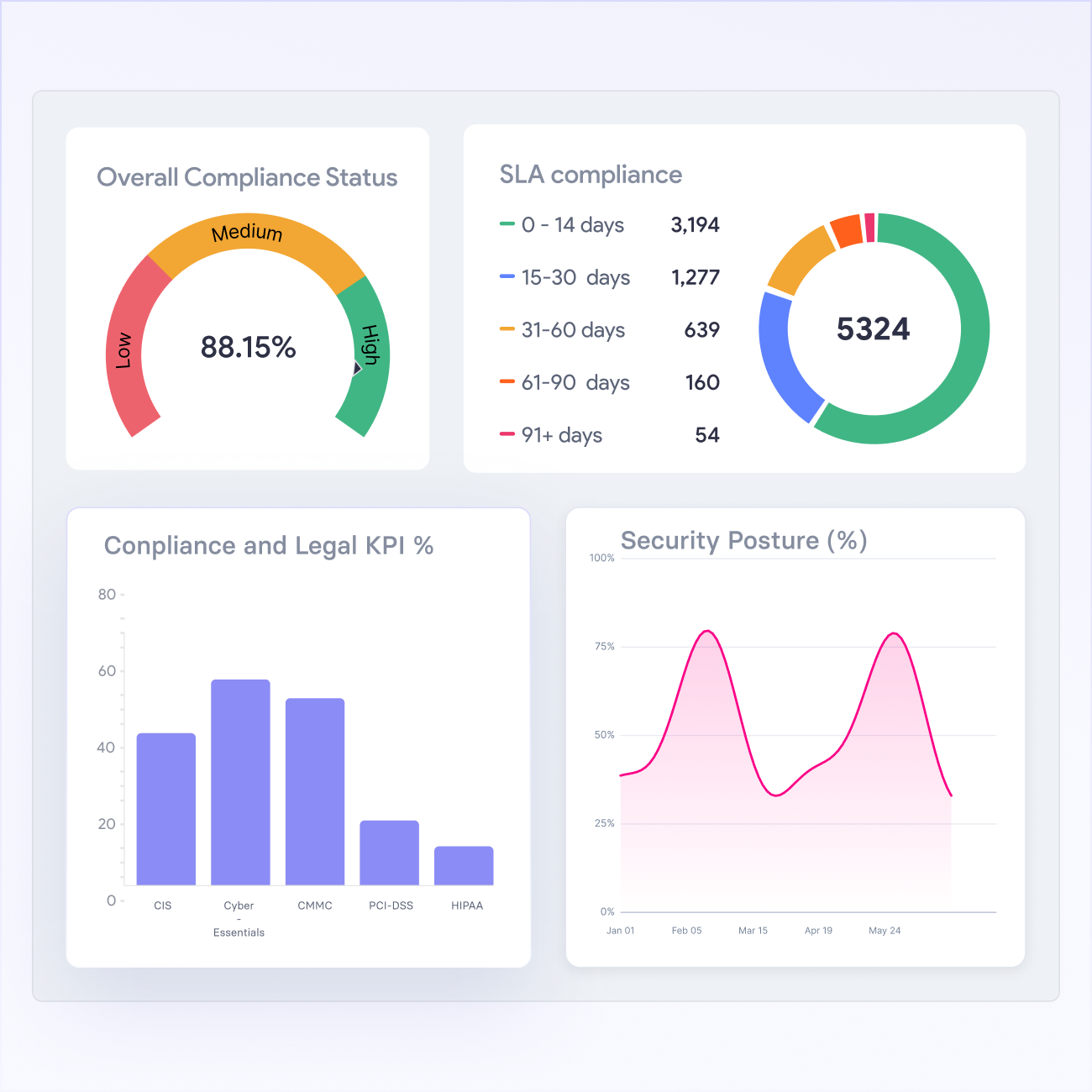
vRx generates timestamped compliance reports mapped to your active frameworks on demand, so your team stops building audit documentation manually.
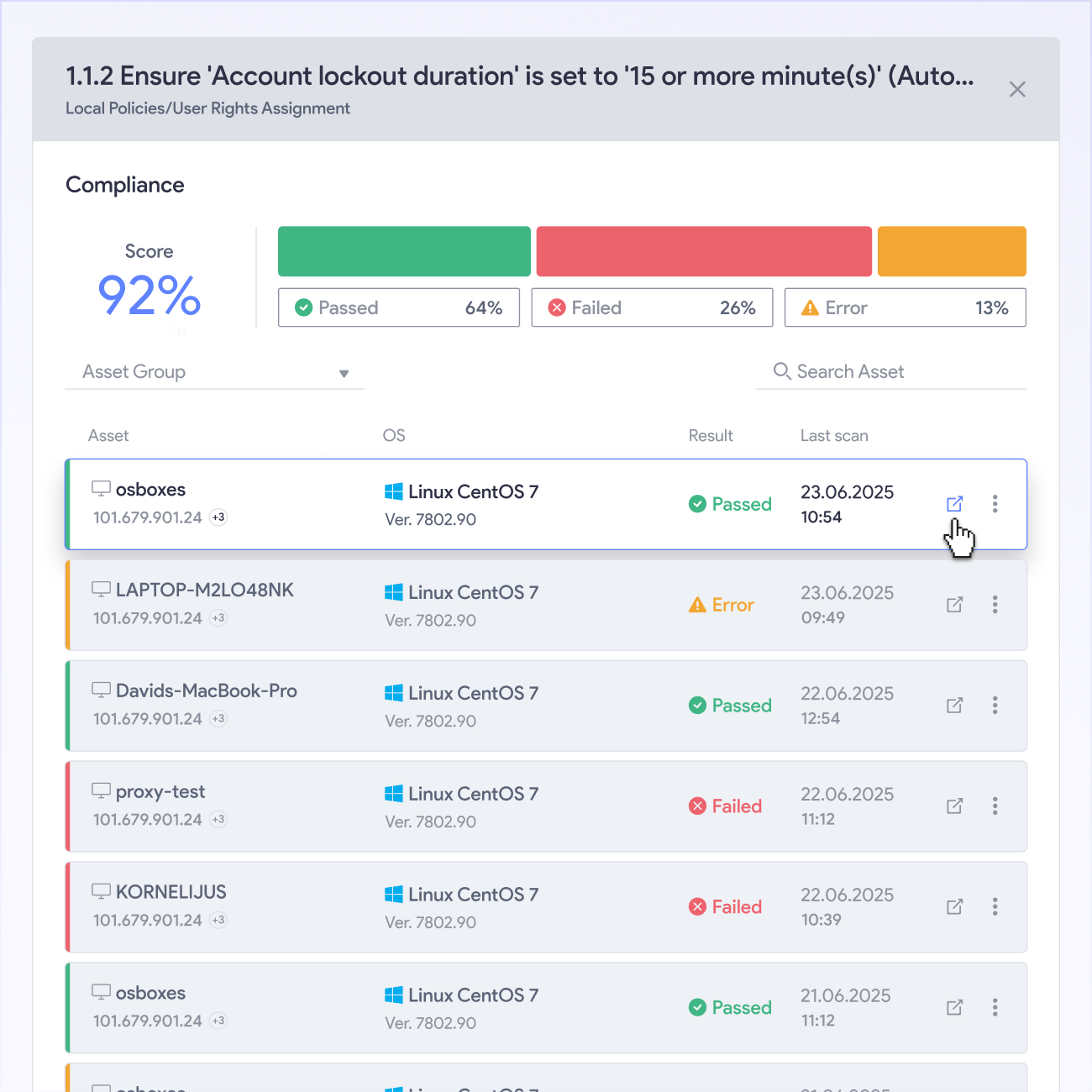
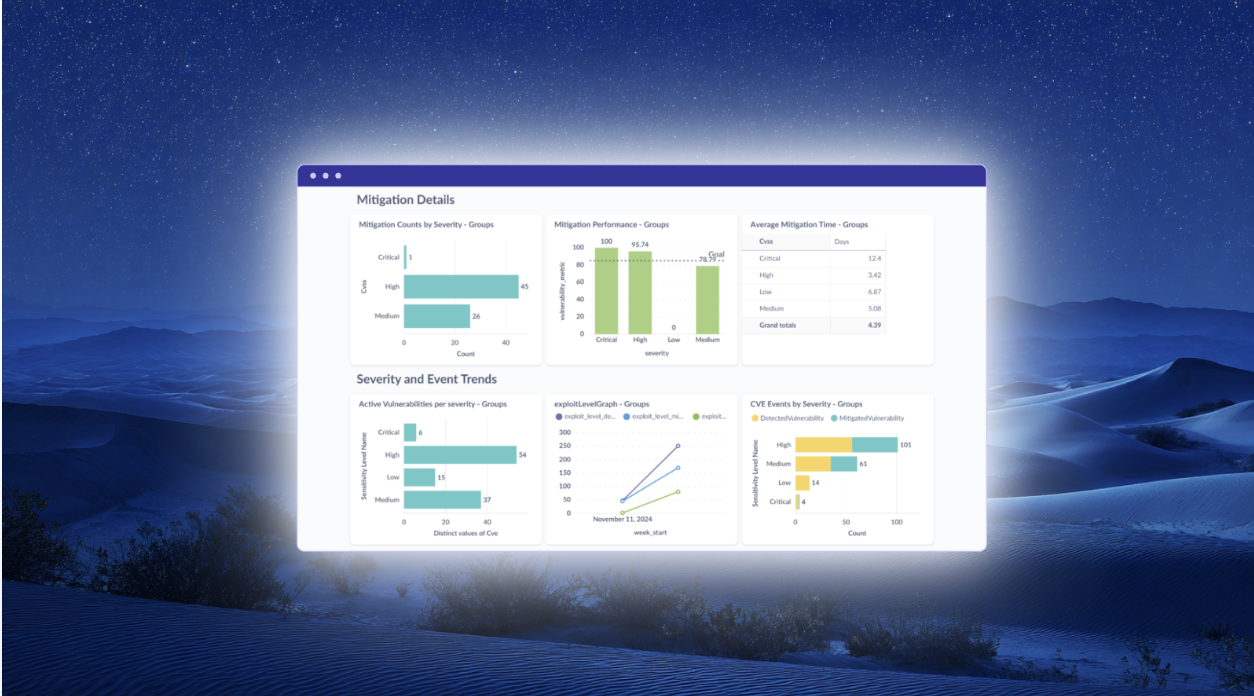
vRx tracks compliance status per asset, showing which machines are out of compliance and how remediation progress changes over time.
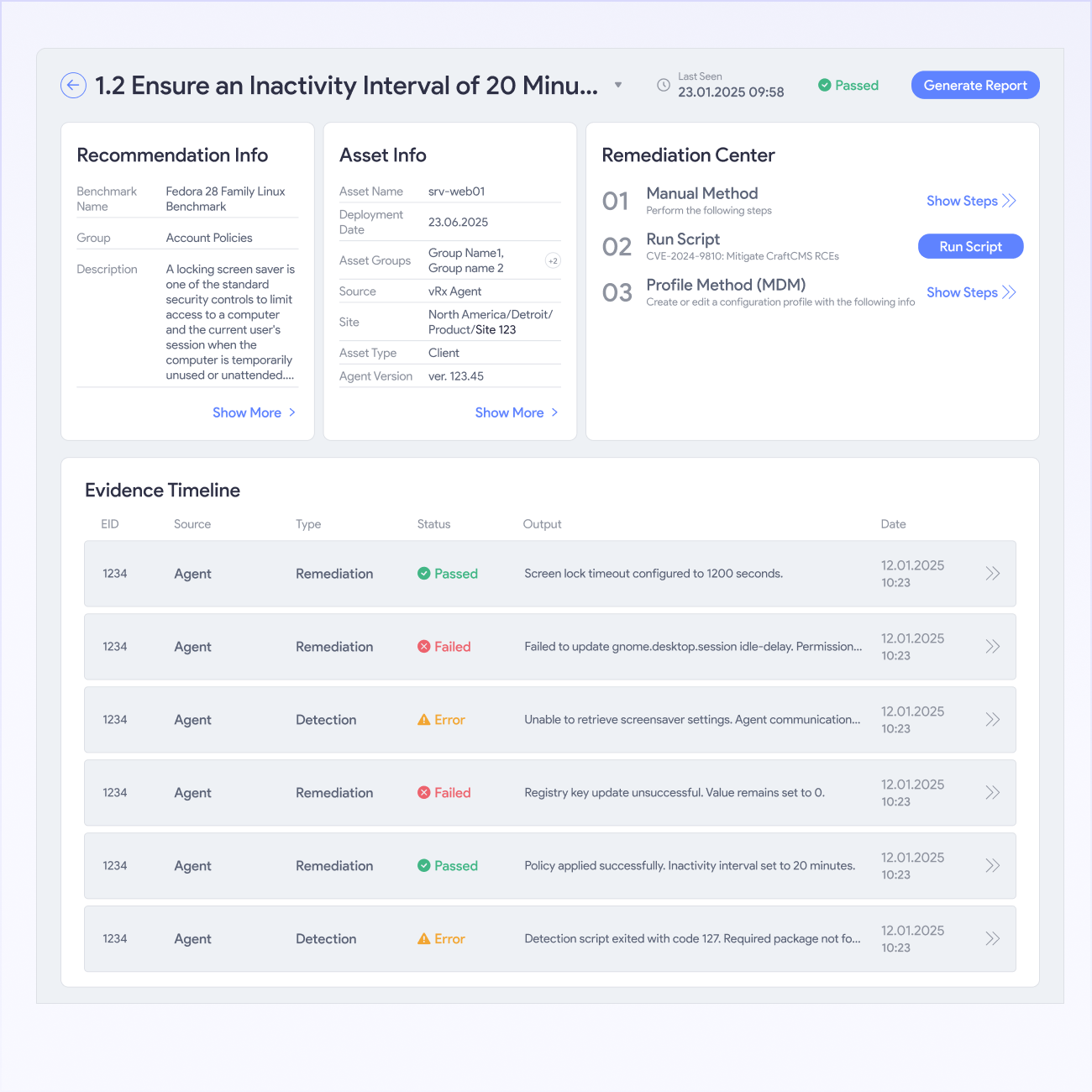
Every vRx remediation writes a timestamped record to the compliance control it closes, giving your auditor a traceable evidence chain.







What Our Customers Say About Us
See why enterprises trust our approach to AppSec to secure their business-critical applications
Patchless Protection is an incredible technology!


Third-party software patching is the most valuable feature.

Complete Vulnerability Remediation Platform

My favorite feature is Patchless Protection

Great patching capabilities, helpful dashboard, and excellent support


Merge Security & IT to Remediate Threats

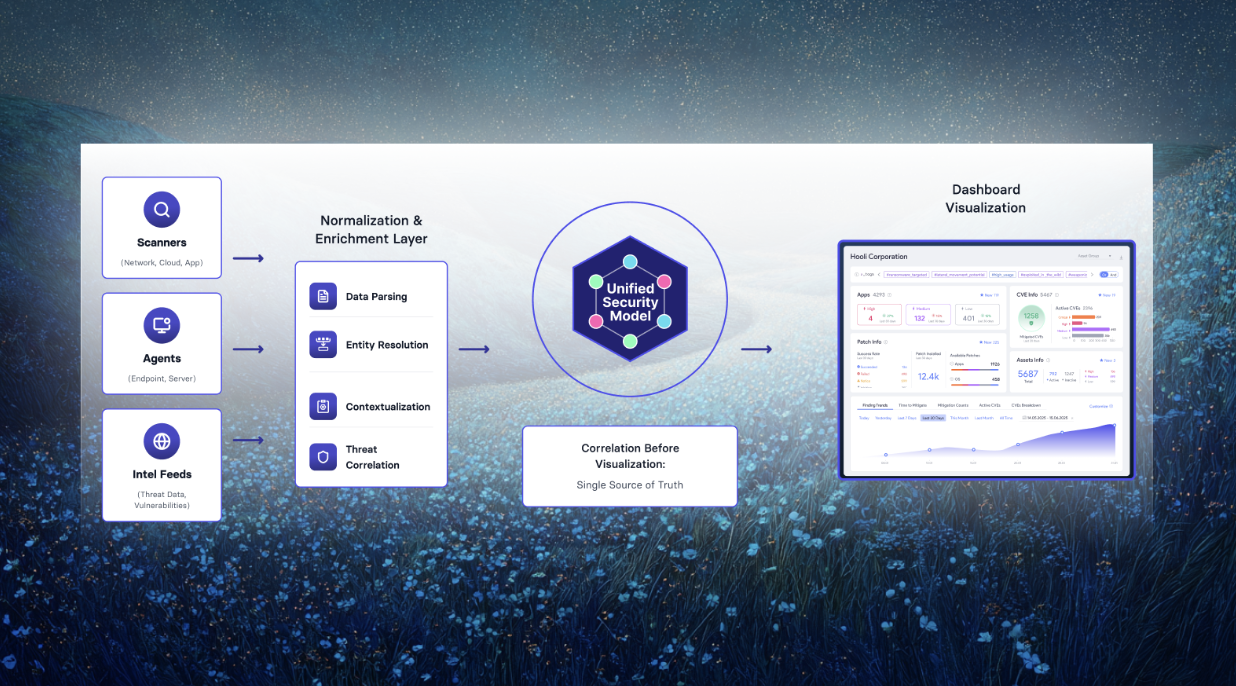
Single source of truth, capable of handling any application in our fleet
EL AL secures global Patch Compliance


Unified vulnerability discovery, prioritization, and remediation
From urgency to strategy

60% faster remediation, many hours saved
Everything you need to know
What compliance frameworks are supported?
vRx supports HIPAA, PCI DSS, Cyber Essentials,CMMS and 100+ CIS Benchmarks. Every finding maps to the specific control it violates within the relevant framework, so your team sees not just what is wrong but which requirement it fails. Reports export ready for auditors without additional formatting.
How does vRx detect misconfigurations?
vRx scans systems and applications through the site agent scanner without requiring any additional deployment. It checks configurations, settings, and installed software against the controls defined in your active compliance frameworks. Misconfigurations surface in real time, so your team sees issues as they appear.
Does vRx fix compliance issues or just report them?
Both. Most compliance tools report misconfigurations and leave remediation to someone else. vRx detects misconfigurations and provides a direct fix path through patching, vShield Patchless Protection, or vScript. Every remediation ties back to the compliance control it closes, so the finding and the fix both appear in the same record.
Can I generate audit reports directly from vRx?
Yes. vRx generates timestamped compliance reports on demand, mapped to your active frameworks. Your team selects the framework, time range, and asset scope, and vRx produces the report. No manual data compilation, no cross-referencing spreadsheets. The report is ready the moment you need it.
How is vRx compliance different from a dedicated compliance tool?
Dedicated compliance tools scan and report. vRx scans, reports, and remediates. The findings from a vRx compliance scan connect directly to patching, scripting, and patchless protection, so your team closes findings inside the same platform rather than exporting a report and handing it to a separate remediation workflow.
Can I configure which frameworks apply to which assets?
Yes. Your team configures which frameworks apply to which asset groups, so a PCI DSS scan targets cardholder data environment assets and a CIS Benchmark scan targets the assets it is relevant to. One platform, multiple configurations, no blanket scanning that generates irrelevant findings.
How does vRx keep compliance current between audits?
vRx is able to run continuous compliance monitoring rather than point-in-time scans. When a configuration drifts out of compliance between audit cycles, vRx detects it and surfaces it for remediation immediately. Your compliance posture reflects the current state of your environment at any moment, not the state it was in at the last scan.



